HomeHologramsLoyalty SystemGastro APP Contact
LocalX Gastro · OS

One System. One Goal:

|

Orders flow. Kitchens know. Waiters serve instead of run. Stock counts itself. And you see everything — live, from anywhere.

No app for your guests German · Italian · English · French ESTV-ready
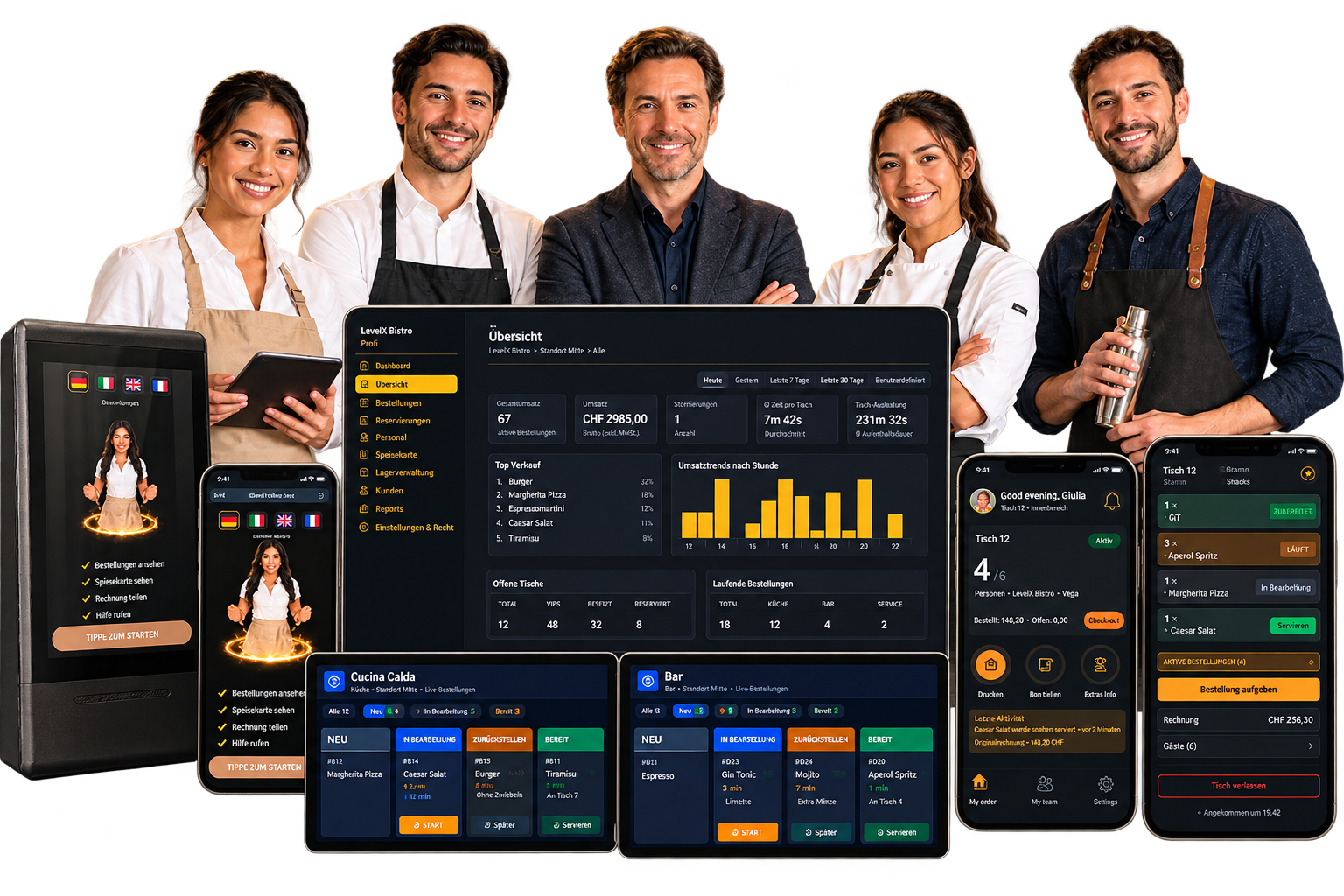
LocalX Gastro — restaurant team with all screens
The Reality

Small Problems Become Expensive Fast.

Your restaurant can have good staff, a good POS, and a good kitchen — and still lose time, money, and guest satisfaction in the gaps between them.

One System, Four Screens

Everyone Sees Exactly What They Need

Your guest, your waiter, your kitchen and you each get a different screen. Behind them it's one system — so nothing has to be typed twice, shouted across a room, or remembered by anyone.

scroll for more →
For Guests

They Order Without Waiting For Anyone

A guest scans the code on the table and your menu opens on their own phone — in their own language, with real photos and honest allergen information. No app to download. No account to create. No waiting for someone to bring a card.

Reads in German, Italian, English or French — and they can switch halfway through the meal
If they've told us about a nut allergy, the dish with nuts simply won't go through
They can order once, or keep ordering all evening without calling anyone over
Prefer to order from a waiter instead? Both work, on the same table, at the same time
Every order is visible — what the guest ordered, what the waiter added. No more “that’s not what I asked for” because both sides see the same screen.
It opens in about two seconds in the browser they already have. Nothing to install, nothing to explain.
For Waiters

They Stop Running, and Start Serving

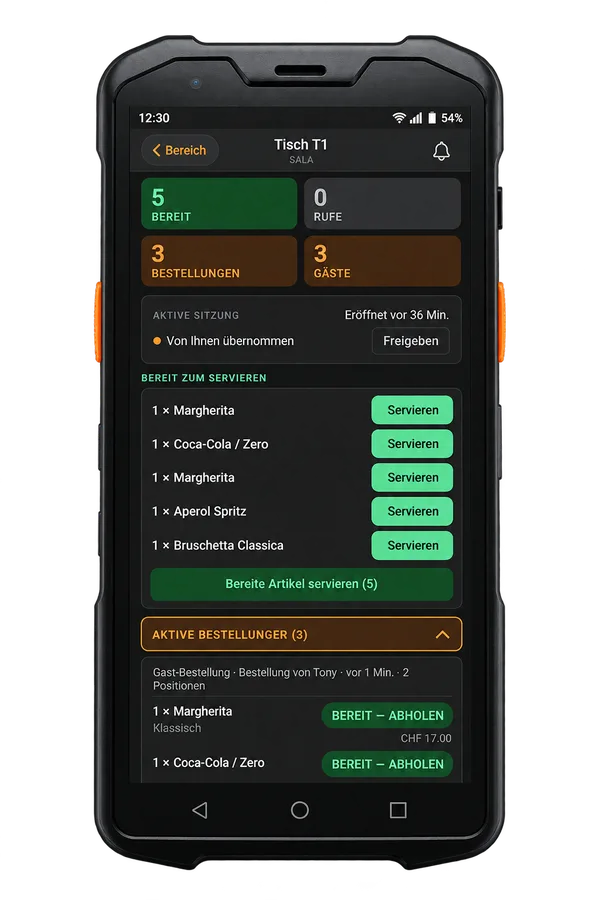
Your waiter sees only their own section: which tables have food waiting, which tables are calling, and who is already looking after what. When a plate is ready, their phone buzzes — so nobody walks to the pass to check whether anything has come up.

A green dot means food is waiting. A red dot means a guest needs something. That's the whole system.
Claim a table so two waiters never walk to the same one
Take orders on the same screen the guest uses — nothing gets copied by hand or lost on paper
Close the bill with the split, the tip and the cash change already worked out
See everything the table ordered — your items and theirs. Split the bill per guest, or split individual items (wine, bread, water) across the table, even if everyone pays separately.
Food ready and guest calling feel different in the pocket — your waiter knows what's needed before looking at the screen.
For the Kitchen

The Line Sees One Screen, Not Ten Tickets

Every order finds the right station by itself — pizza to the pizzeria, pasta to the cucina, drinks to the bar. Each ticket moves from new, to preparing, to ready, and the colour tells you how long it has been sitting there.

Under five minutes is green. Over ten is red. You see the problem before the guest feels it.
Run out of something? Tap once and it disappears from every menu in the building
See what the other stations are working on, so plates for one table leave together
Made for a tablet on a hot line — dark screen, big buttons, a sound when something new lands
No printer jams, no lost slips, no handwriting to decipher at half past nine on a Saturday.
For You

You Finally See The Room From Anywhere

Open your phone and see every table, every order in flight, and every guest still waiting — in one restaurant or in all of them. Then look at the numbers: what sold, when it sold, and how fast your team actually moved.

Revenue, orders, busiest hours and best-selling dishes for any date range you pick
Change a price or swap a photo once — every table in the room sees it immediately
Run several locations under one login, each with its own menu, team and numbers
Change tonight's prices and yesterday's bills stay exactly as they were printed
You don't have to be in the building to know how the evening is going.
For Your Team

They See Their Week Before You Have to Explain It

Your team opens the app and sees their shifts, their hours, their time off, and their pay — without asking you. They claim open shifts, request swaps, and submit holiday requests from their phone. You approve with one tap.

Shifts for the week, colour-coded, with reminders the evening before and 30 minutes before start
Clock in with GPS or a wall terminal PIN — no rostered shift, no clock-in
Request time off (vacation, sick, parental, training) — you approve or decline from your phone
Payslips, contracts, and work permits in one place — with alerts 30 days before anything expires
They never need to call you to ask “when do I work next week.” It’s already on their screen.
For Your Accountant

They Log In, They Download, They Leave

Your Treuhänder gets their own login. They see payslips, hours, VAT exports, daily closes, and the roster — nothing else. No POS access, no menu editing, no staff management. Read-only, purpose-built, no training needed.

ESTV-ready VAT export — one formatted Excel file with seven sections and cross-checked totals
Treuhänder hours report — regular, night, Sunday, and holiday hours pre-classified, ready for payroll
Daily closes with sequential fiscal numbering and automatic gap scanning
Upload documents directly to individual employees — contracts, permits, certificates
Every export is recorded with a content hash. If anyone asks “what did the accountant see last Tuesday,” the answer is in the log.

Feature-by-feature comparison

Researched September 2026
scroll for more →

Feature data sourced from each company’s public website as of September 2026. If anything has changed, let us know. LocalX is not affiliated with any of the brands listed.

What Makes Us Different

These features do not exist in any other restaurant system on the Swiss market.

Live order status on their phone or table display

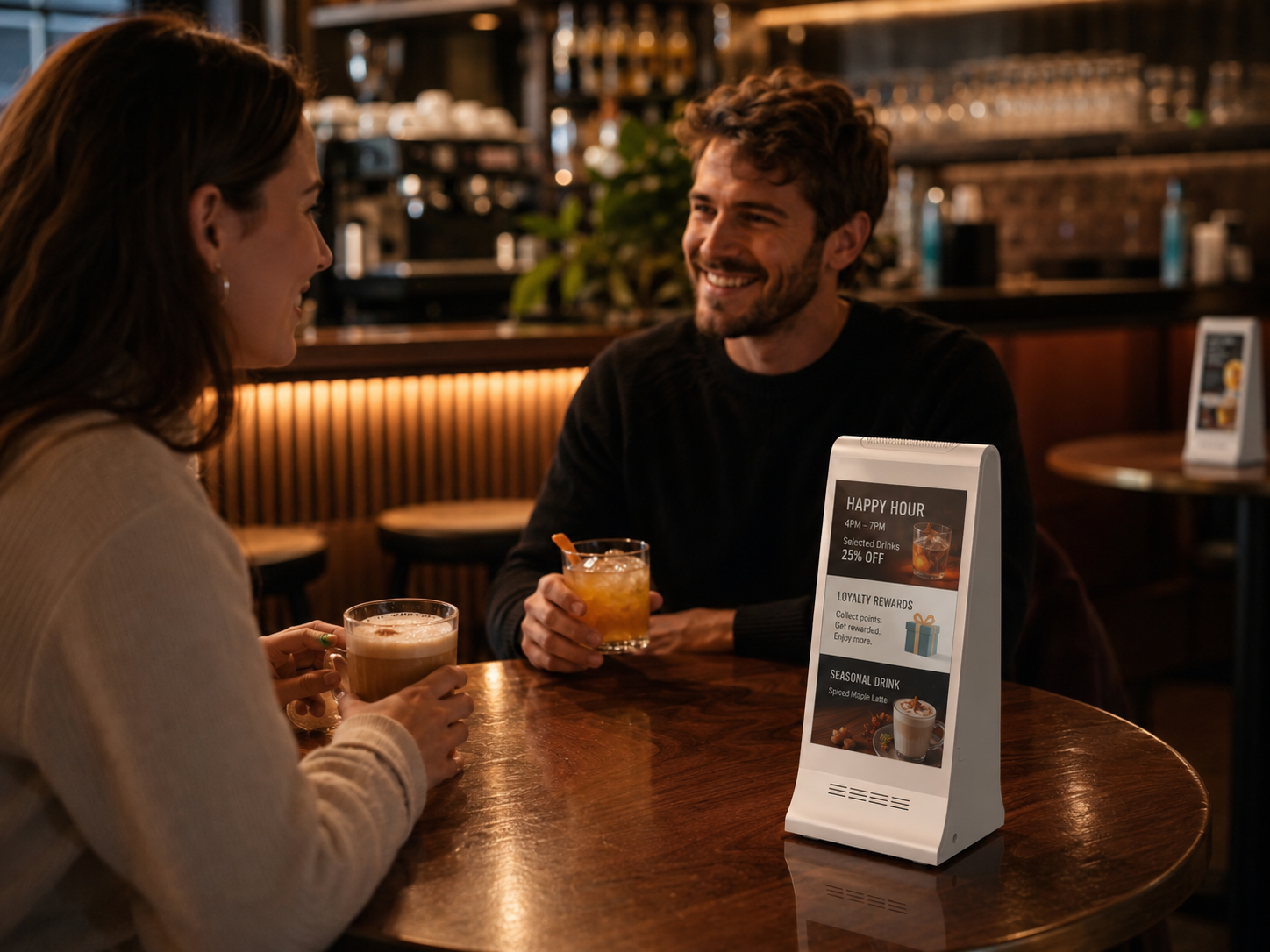
Ordered. Cooking. Ready. Your guest watches their dish move through the kitchen — on their own phone or on the Mini Display at the table, which also runs your ads and charges their phone. No POS on the Swiss market shows per-dish status to the guest.

Call waiter, order, and escalate

Your guest taps a button — to call, to order, to ask for the bill. If nobody responds in 60 seconds, the whole floor is asked. 90 seconds, the manager. 120, the owner. Thresholds are yours to set per location.

Split, review, and return

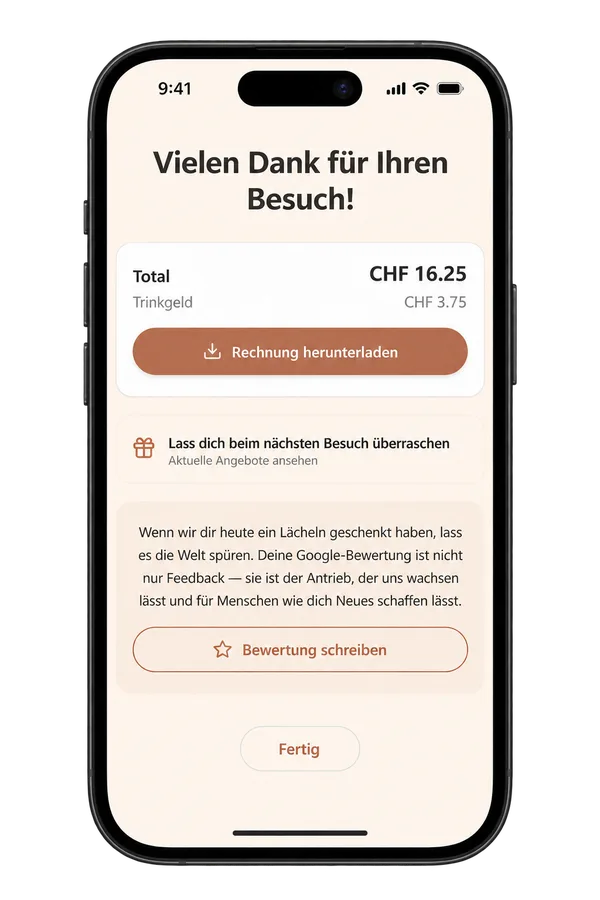
Three guests, one table. Each picks their items, splits shared ones (wine, bread, water), pays their share, and tips their waiter by name. Before they leave: a quick waiter review (internal), a one-tap Google Maps review, and a next-visit discount that gives them a reason to come back — and bring someone.

AI restock from a delivery photo

Photograph the delivery note. The system reads the ingredients, matches them to your stock, and proposes the restock. You approve — done. No manual entry, no barcode scanning.

Your accountant’s own login

Your Treuhänder sees payslips, hours, VAT export, daily closes, and the roster — nothing else. Read-only, purpose-built. ready2order has a Steuerberaterzugang for exports, but no POS offers a dedicated portal with payslips, documents, and hour reports.

ESTV-ready Swiss VAT export

One formatted Excel file, seven sections, cross-checked totals. Not DATEV (German format), not a CSV you have to reformat. Built for Swiss accounting from the start.

Full HR: payslips, documents, expiry alerts

Upload payslips, store contracts and work permits, get a 30-day warning before anything expires. Your team sees everything in their app. No POS on the market includes document management with expiry tracking.

Swiss labor law built in

L-GAV compliance, 12-hour ceiling enforcement, paid/unpaid break classification, night and Sunday hour tracking. JobDone covers some of this, but it’s a separate tool that can’t see your floor.

One Table, Start to Finish

What Actually Happens at Table 4

Nine o'clock on a Friday. Three guests, one of them allergic to nuts. Here is every step — and everything that can no longer go wrong.
Guest scanning QR code and browsing menu
Order appearing on kitchen display
Waiter notification when food is ready
Guest splitting the bill from phone
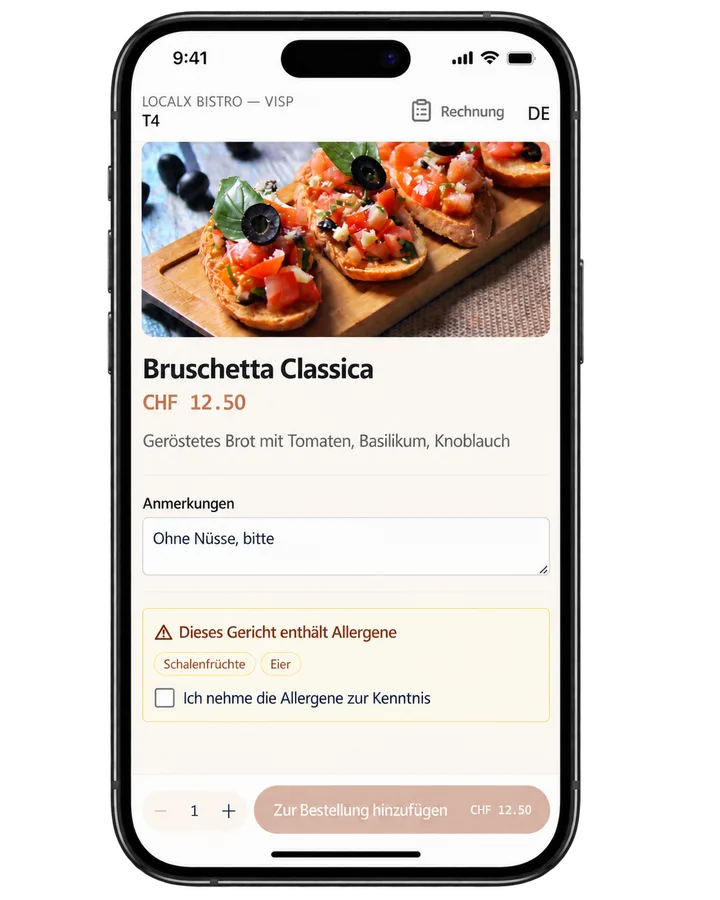
Guest scanning QR code and browsing menu
01

Client Sits Down and Scans QR Or Tap NFC

She chose the language she speaks. Then she sees the photo, the price, and what is actually in the dish. The one that would have sent her to hospital is blocked before she can tap it.

No excuses that she does not see it on the menu, or that the waiter forgot to tell her
Allergens shown on every dish — and conflicts blocked, not just warned about
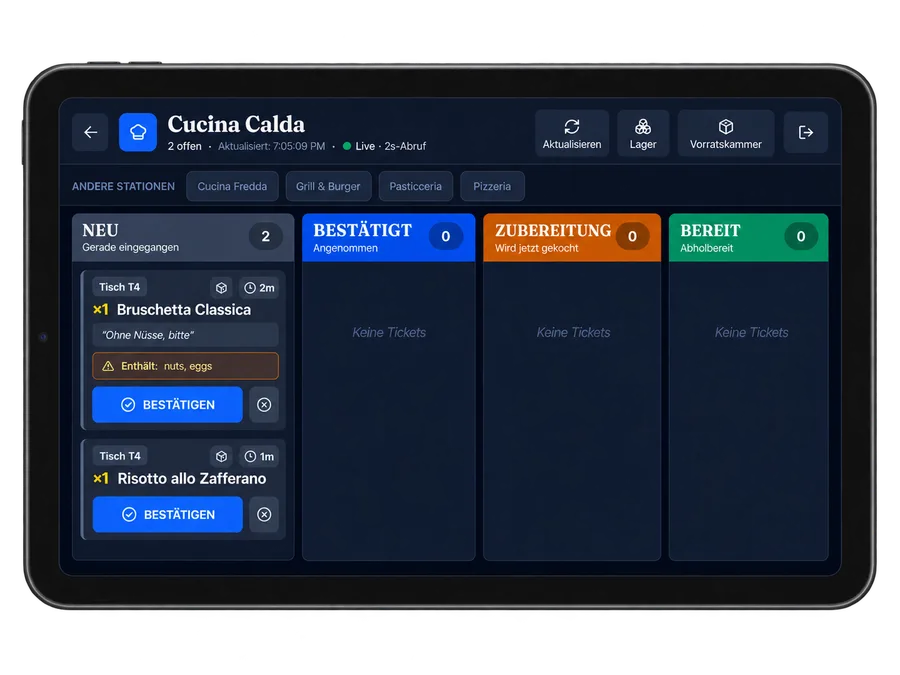
Order appearing on kitchen display
02

She Orders. The Kitchen Knows In A Few Seconds.

Her Bruschetta Classica appears on the screen on the right station. Her friend’s risotto appears the same. The wine appears at the bar. Nobody loses time carrying a slip, no excuses that the receipt got lost or damaged.

Every item goes to its own station automatically
Extras, sizes and "no onions" arrive exactly as she chose them
If the kitchen ran out two minutes ago, she was never offered it
Waiter notification when food is ready
03

When Ready. Waiter’s Phone Buzzes.

Not a bell, which might bother the customers. A sound notification and buzz that means food is waiting for table 4 — and if a guest calls instead, it’s another buzz with a sound notification, so your waiter already knows what is needed on the way over.

One vibration for food ready, another for a guest calling
Nobody answers in 60 seconds? The whole floor is asked
Still nothing after 120 seconds? It reaches the manager/owner account
Guest splitting the bill from phone
04

Client Pays Her Share, Not Everyone’s

Three guests, three totals, one table. She pays for what she ordered; she can use the discount provided by the restaurant, add a tip that goes to her waiter by name, and take the receipt with her as a PDF.
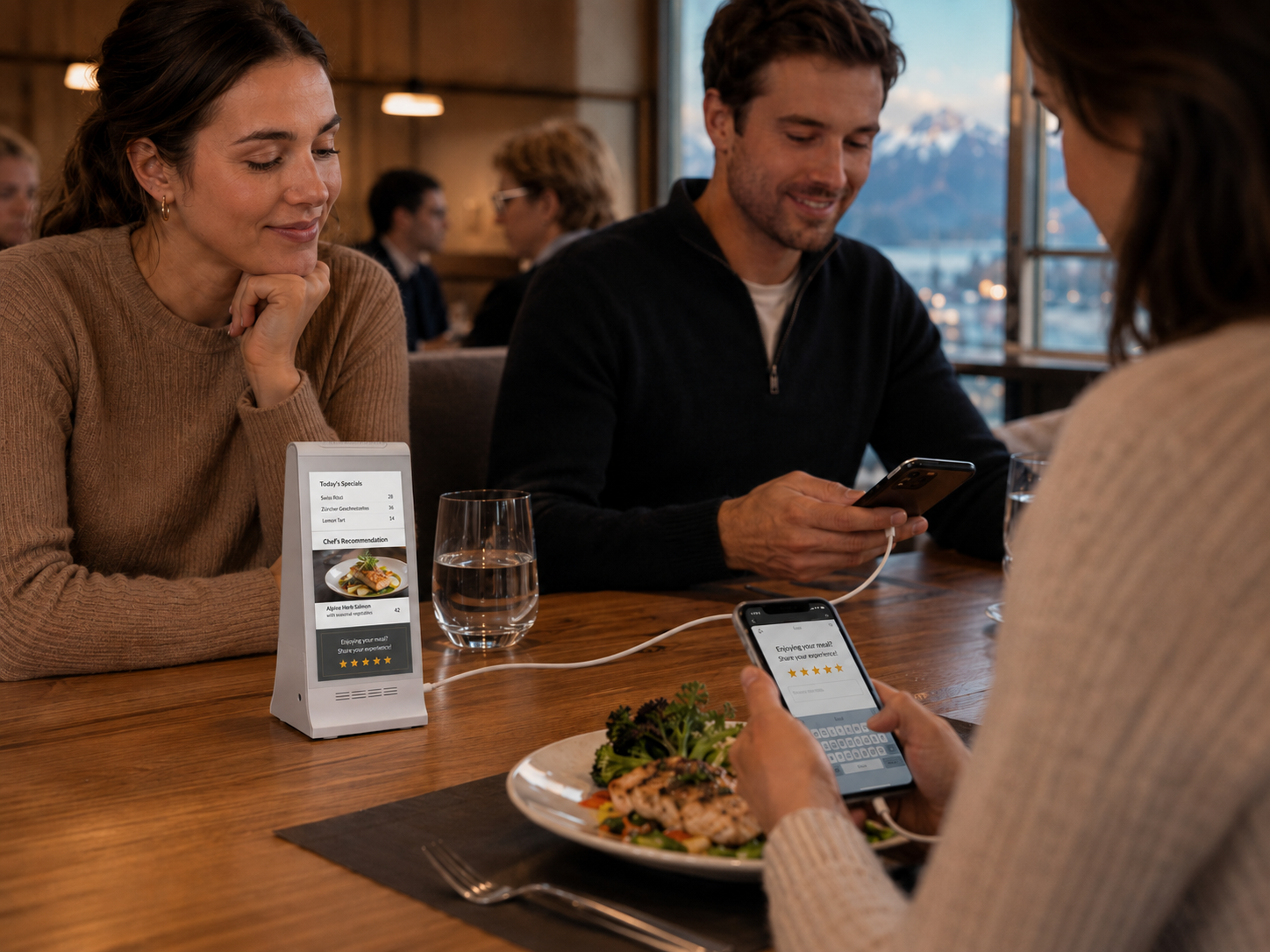
Split per guest and order (even if they pay separately, they can share a bottle of wine, bread, etc.) or pay together — decided at the table, not at the till
VAT worked out correctly, including on the discounted amount
Tips attributed to the waiter who actually earned them
Call Waiter

Call the Waiter. Order Drinks.

Your guest taps a button — the waiter sees it, the bar sees it, the kitchen sees it. Each request goes where it needs to go. No waving, no waiting, no missed orders.

🙋Come to the table

They would rather order face to face. Your waiter arrives already knowing that, notepad in hand.

🥤Order drinks

A short drinks-only menu. The next round reaches the bar without anyone crossing the room twice.

🧾The bill, please

Together or separate — decided before your waiter arrives, so there is no second trip.

🧂A small request

Water, cutlery, napkins, ice, a highchair. Named, so nothing is guessed and nothing is forgotten.

💬Write a message

Anything the buttons don't cover, in the guest's own words, straight to their waiter.

🚨Urgent

A longer buzz, a faster escalation, and you are told about it the moment it happens.

And Nobody Gets Ignored
If the first person doesn't answer, the request climbs. A guest never sits there wondering whether anyone saw them.
0s
Their waiter

The person responsible for that table is asked first.

60s
The whole floor

Still nothing, so every waiter on shift sees it.

90s
The manager

Now it's a service problem, and the manager is told.

120s
You

Because a guest waiting two minutes is something you want to know about.

These are the defaults. You set your own timings per location — and you can see afterwards how fast your team really answered.
Included, Not Extra

It Also Runs Your Team

Most restaurants pay a second company for staff scheduling and time tracking. It is already in here — and it is built around the way Swiss hospitality actually works, not translated from somewhere else.

No second subscription
📅Next week in one screen

Lay out the week, copy last week, and get warned that Saturday is short before Saturday arrives.

They clock in, you stop guessing

From the app or a tablet on the wall. With an optional location check, so shifts start where they should.

🌙Night and Sunday counted for you

Every minute sorted into regular, night, Sunday or holiday. Nobody adds that up by hand again.

Breaks handled the way the law says

Entitlements tracked as the shift runs, with a warning before a threshold is missed — not after.

🏖Holidays that don't live in WhatsApp

Request, approve, and see who is away on one calendar everybody can read.

📄Payslips they find themselves

Upload once. Your staff open their own payslips and contracts instead of asking you for them.

Swiss By Construction

Built For Here. Not Translated For Here.

The boring parts are the ones that cost you money when they go wrong. These are handled by the system, every single day, whether anyone remembers to check or not.

🧾
Receipts that satisfy the tax office

VAT worked out on our servers at the right rate — eating in, taking away, or drinking. Never on the till, never editable afterwards.

🔒
A closing that actually closes

Every day is sealed with numbered receipts and checked for gaps. If something is missing you find out that evening, not in March.

📗
Your accountant gets one file

A single workbook with everything they ask for, in the language they work in. You get your evening back.

🥜
Allergens the way Europe requires

Declared on every dish, shown to the guest before they order, and blocked when it would actually hurt someone.

🗣
Four languages, everywhere

German, Italian, English and French — for your guests, for your team, and for the files you hand over.

⚖️
Written around Swiss labour rules

Break entitlements, night and Sunday hours, paid breaks for staff who can't leave. Measured, not estimated.

Only from LocalX

The One Thing No Till Can Copy

LocalX already puts local deals in the pockets of people nearby. When one of them walks into your restaurant, the offer they are holding works right there at the table — instantly, correctly, and properly on the receipt.

The guest brings the deal

They show the code from their LocalX app and your waiter scans it. It's checked against the network in real time and applied to that guest's share of the bill only — so a table of four doesn't all get one person's discount.

Your paperwork stays clean

The discount appears as a proper line on the receipt, with VAT recalculated on the amount actually paid, and a reference your accountant can follow back months later.

And if our network ever has a bad minute, the bill still closes and the guest still leaves. Your service never waits on us.
Who It's For

Made For Rooms That Actually Get Busy

Restaurant

🍽️ Restaurants

A full menu, more than one kitchen, and a floor that has to move. Sending each item to its own station was built for exactly this.

Pizzeria

🍕 Pizzerias & Trattorias

The oven and the pasta pass each get their own screen, so everything for one table is ready at the same moment.

Bar

☕ Bars & Cafés

Fast rounds, a drinks-only call button, and a bar that sees the order without anyone walking over to say it.

Hotel

🏨 Hotels & Groups

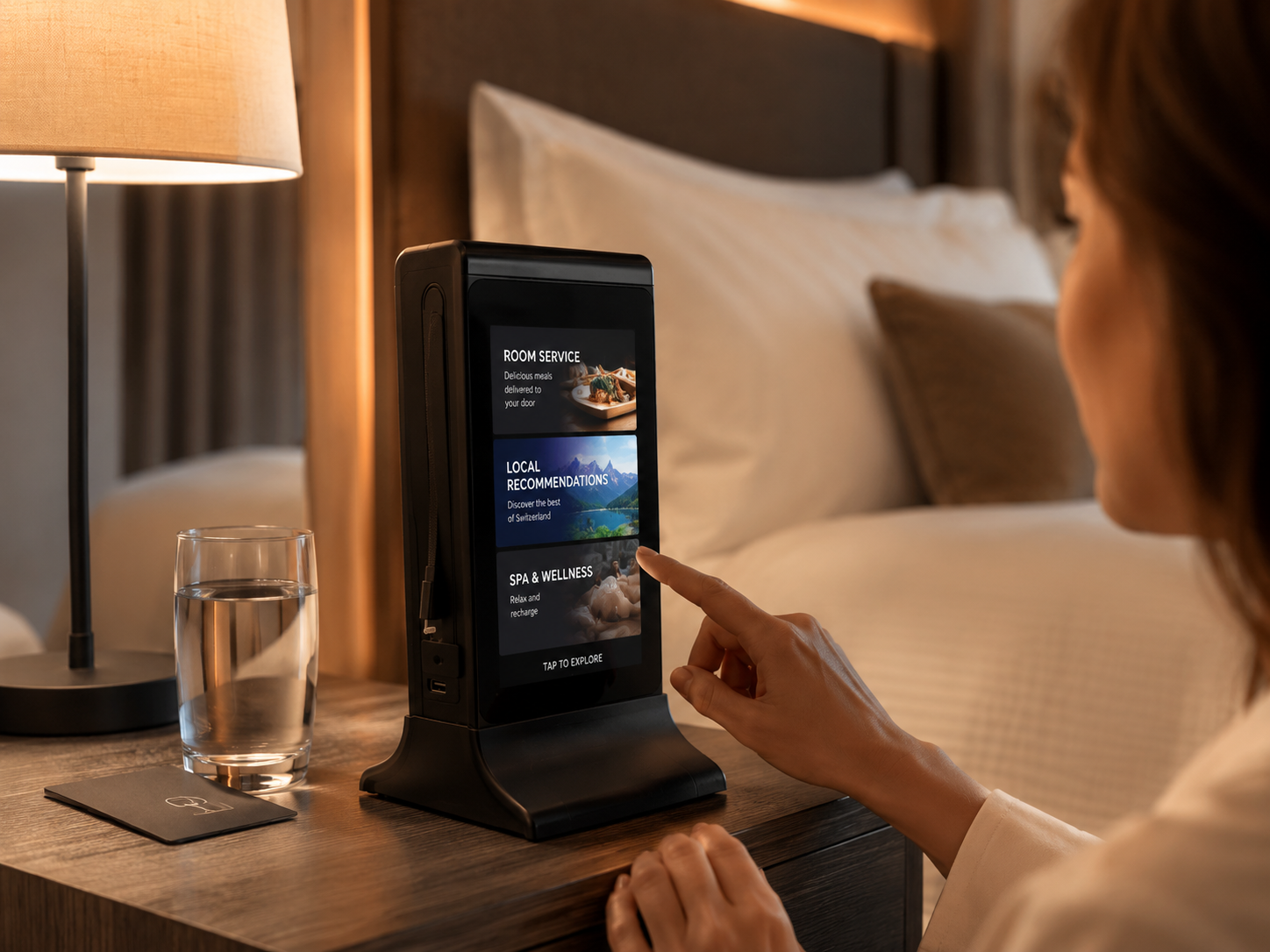
Breakfast, restaurant and bar under one roof — or several houses under one login, each with its own menu and team.

Getting Started

Live By The End Of The Week

You don't have to close, retrain everyone, or throw anything away. Here is how it actually goes.

01
We build your menu

Send us whatever you have — a PDF, a photo, your website. We put in the dishes, prices, photos and allergens, in every language you serve.

02
Your tables get their codes

One code per table, printed and placed. Scanning it already tells us which table it is, so your guests never type a number.

03
Fifteen minutes with your team

Waiters on the floor, kitchen at the pass. It's short because there genuinely isn't much to learn.

04
You open as normal

Start with a few tables if you prefer. Nothing has to change all at once — and we're in Visp if you need us.

What we don’t do yet.

We’d rather you know now than find out later.

Offline modeLocalX requires an internet connection. If your WiFi goes down, the system pauses. Lightspeed and orderbird work offline. We’re building this.
Delivery platform integrationsNo DoorDash, Uber Eats, or Grubhub integration yet. If delivery is a big part of your business, you’ll still need a separate channel.
Online ordering / webshopLocalX is built for in-venue service. There’s no online ordering page for takeaway or delivery yet.
ReservationsNo built-in table reservation system. Lightspeed and orderbird have this.
AI schedulinggastromatic uses AI to build optimal shift plans from demand patterns. Our scheduling is manual — you build the roster, your team claims and swaps shifts.
FAQ

Common Questions

No — and that's deliberate. The menu opens in the browser your guest already has, straight from scanning the code on the table. No app store, no account, no password. In practice they are looking at your menu about two seconds after picking up their phone.

They order from the waiter, exactly as they always have. Your waiter puts it in on their own screen, and it lands in the kitchen the same way. Both kinds of order live on the same table at the same time, so one table can have a guest ordering from their phone and their grandmother ordering out loud, and the bill still comes out right.

It does the work a till does around the bill: it holds the orders, calculates the VAT at the right rate, splits per guest, handles tips and cash change, prints a receipt on a thermal printer, and closes the day. Every restaurant's setup is a little different, so tell us what you have now and we'll tell you honestly what stays and what goes.

The system needs a working connection, so the honest answer is that WiFi coverage matters — which is why we check it in your dining room and your kitchen during setup, before you go live. On a shaky connection nothing gets duplicated: if a waiter taps twice because the first tap seemed not to work, the guest is still charged once.

Included. Shift planning, clock in and out, breaks, holiday requests, payslips, work permits, and the reports your accountant needs — all in the same system that runs your floor. That's the point: the roster knows how busy the room was, because it's the same system that served it.

Yes. Each location keeps its own menu, its own team and its own settings, and you switch between them with one tap. Managers can be given one location or several, and you see the numbers for each house separately or all of them together.

Nothing. Every order keeps the price, the VAT rate and the extras exactly as they were the moment it was placed. Change tonight's menu as often as you like — last Tuesday's receipts still say what they said last Tuesday, which is exactly what an auditor expects.

The staff app is coming to the App Store and Google Play soon, and we'll install it on your team's phones in the meantime. Your guests never need it either way — their side works in the browser, which is the whole reason it's fast.

It depends on how many tables and locations you run, and how much of the system you switch on. Tell us the size of your room and we'll give you a straight number — no per-order commission, and no charge for your guests to use it.

See It Running On Your Own Tables

Book a free demo. We'll put your real menu in, on your real tables, and you can order a coffee from your own phone.

Based in Visp · Available across Switzerland · Response within 24h
Soon Coming soon to theApp Store
Soon Coming soon onGoogle Play
For your team. Your guests never need an app.
Or send us your details